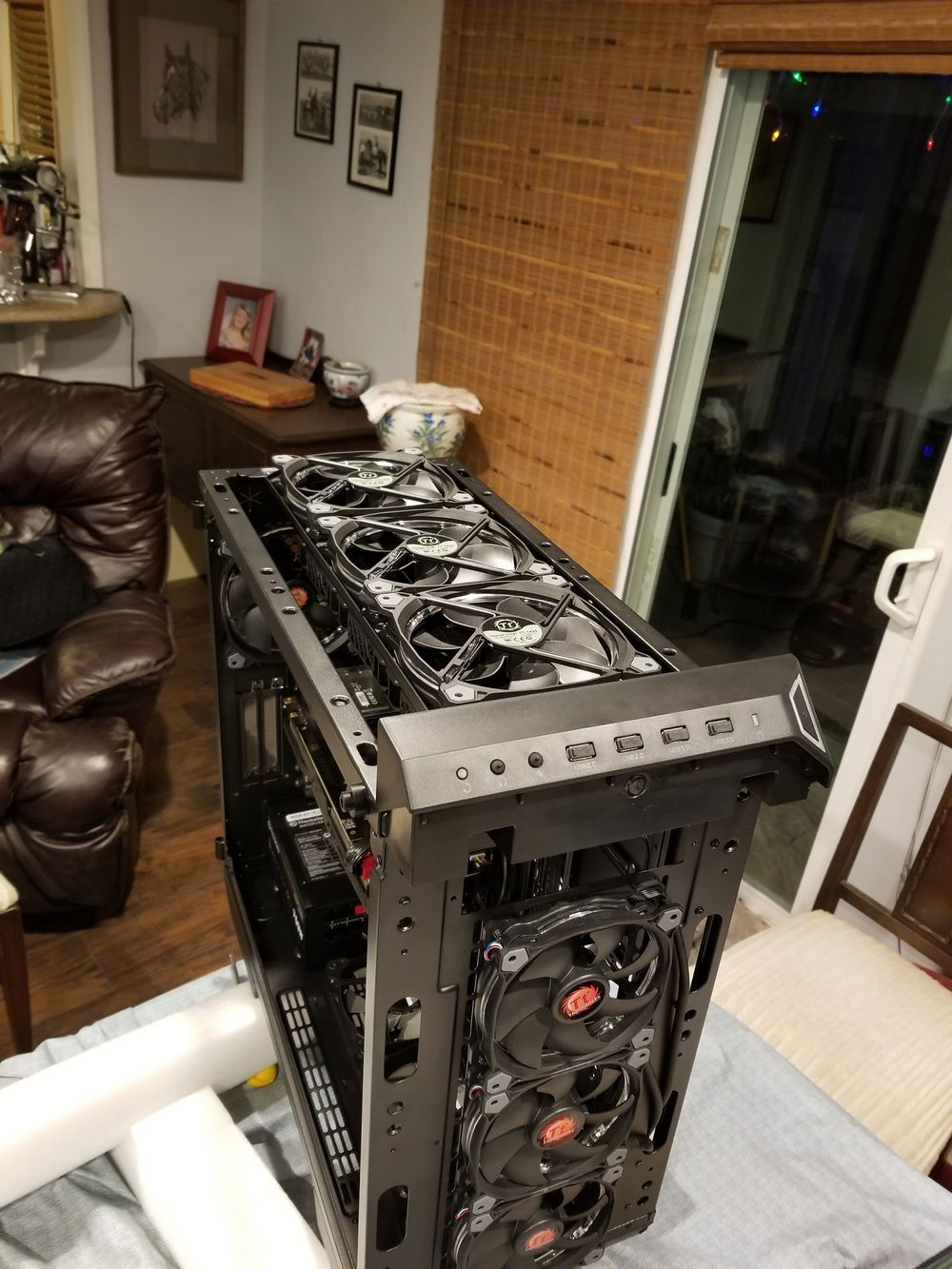
Nice view of the case fans

CPU AIO underside
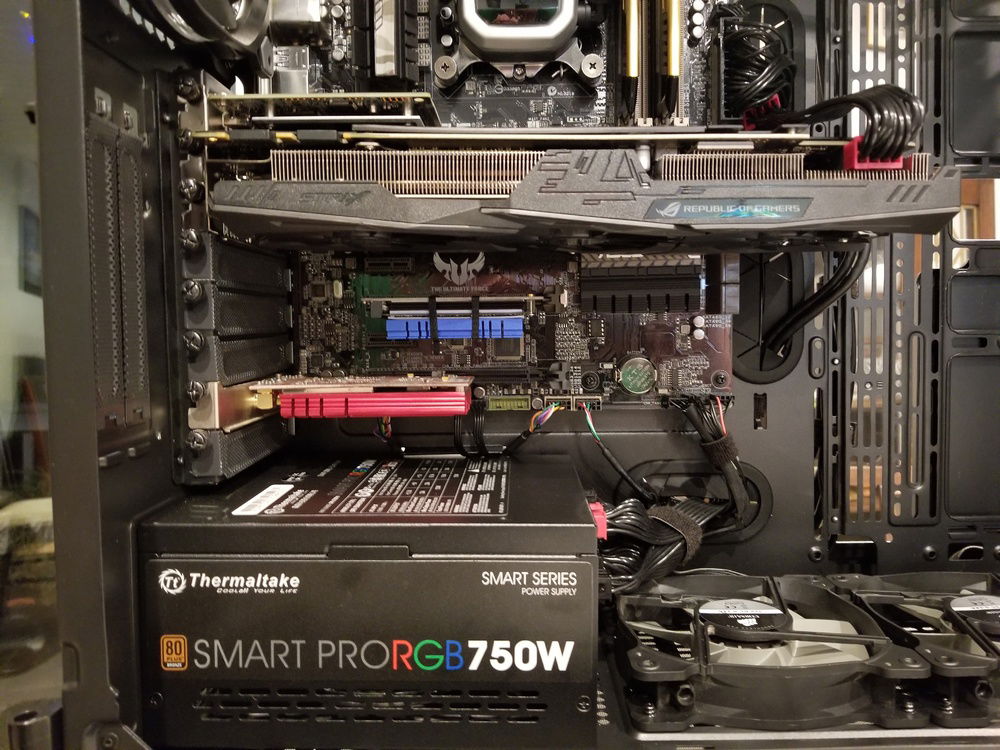
The M.2 NVMe SSD that was never designed for this board, and works so perfectly... Thank You ASUS!!
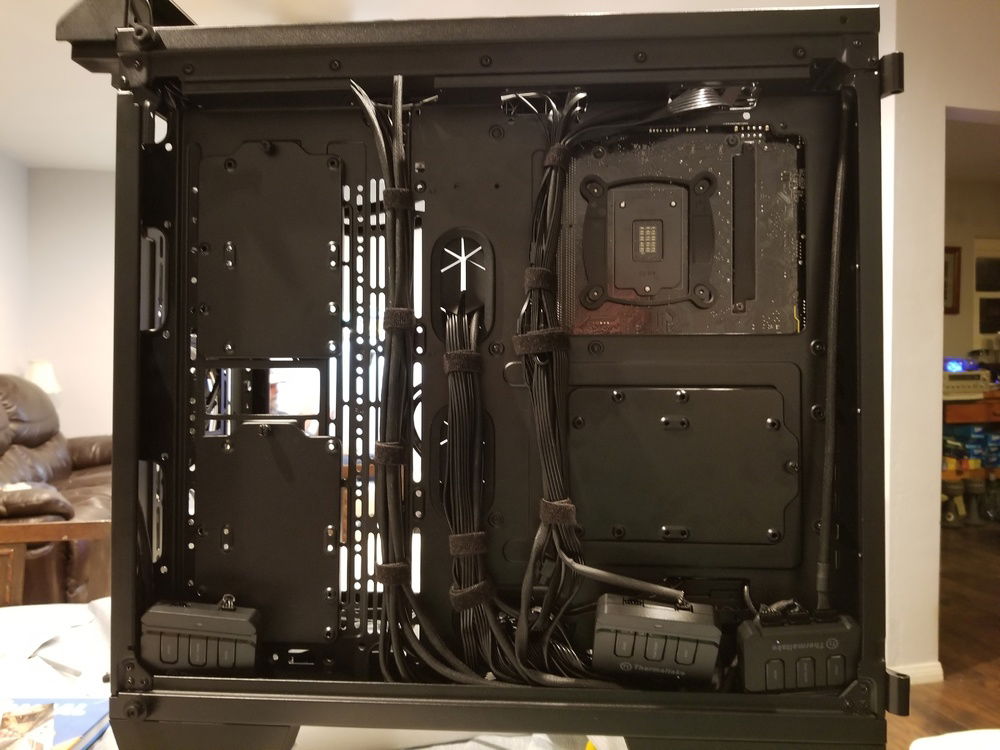
Back side cable management
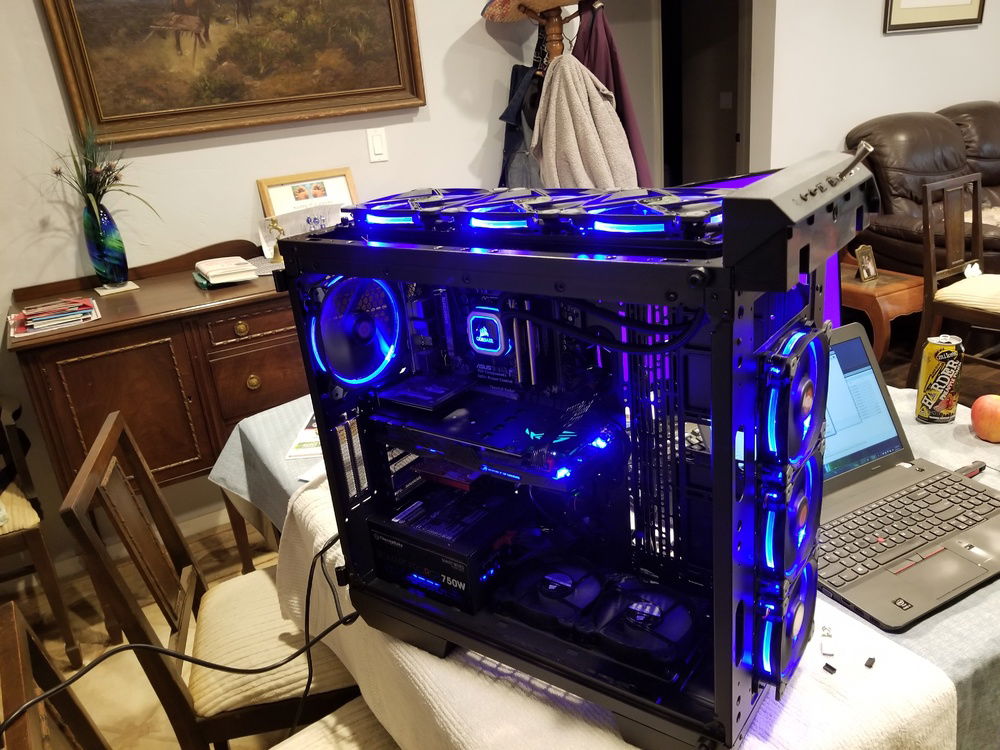
It's Alive!!
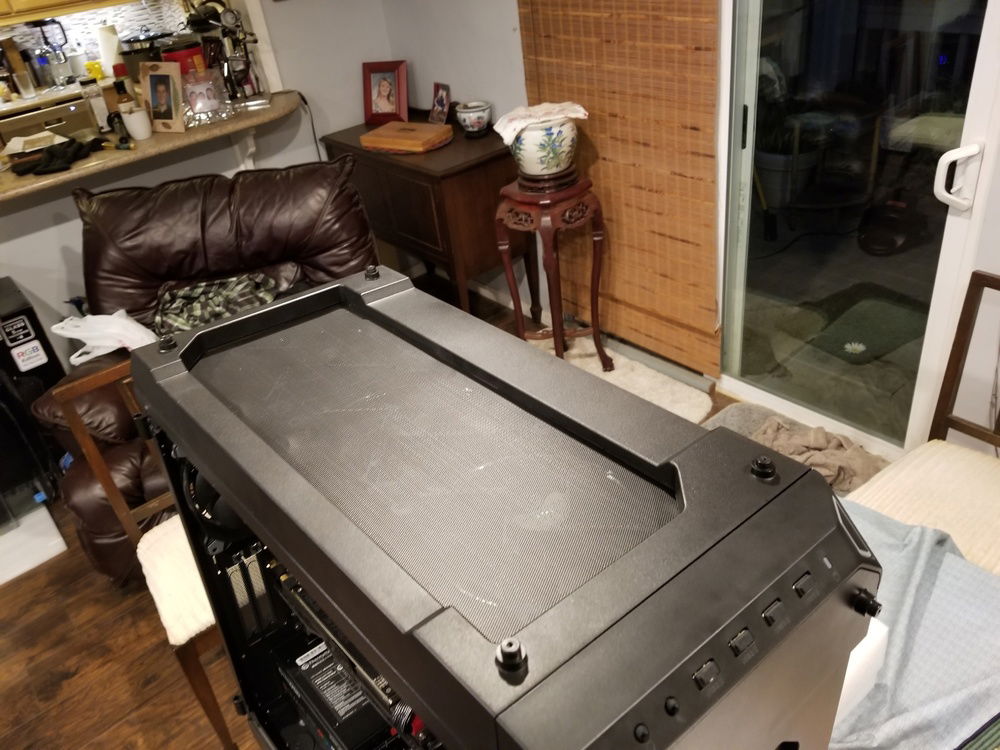
Top case filter
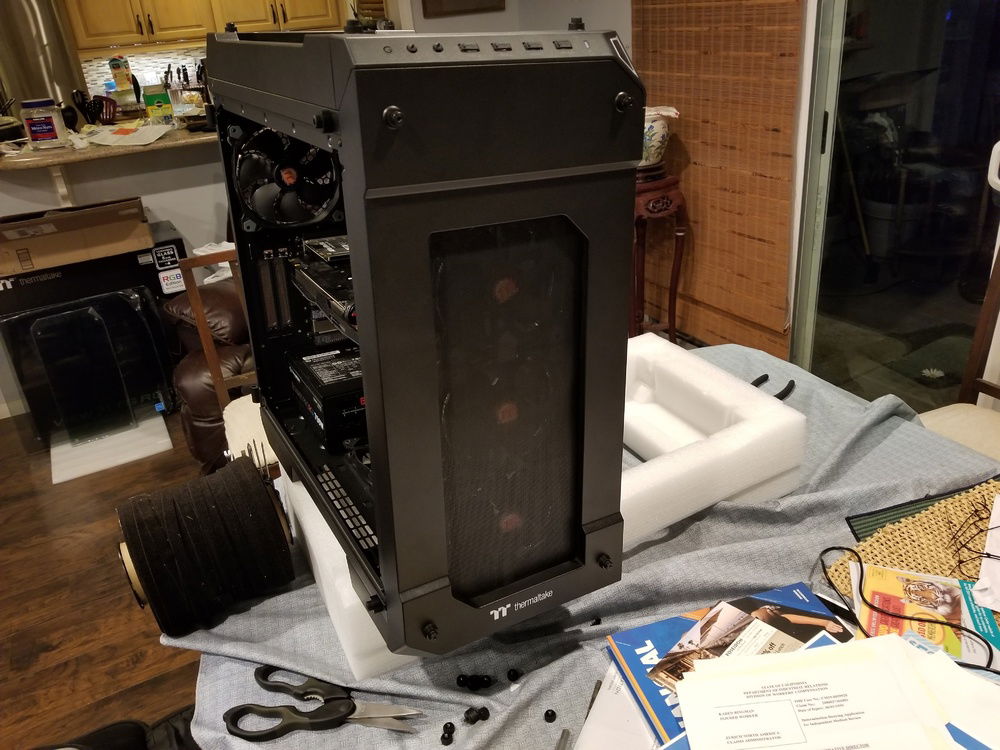
Front case filter
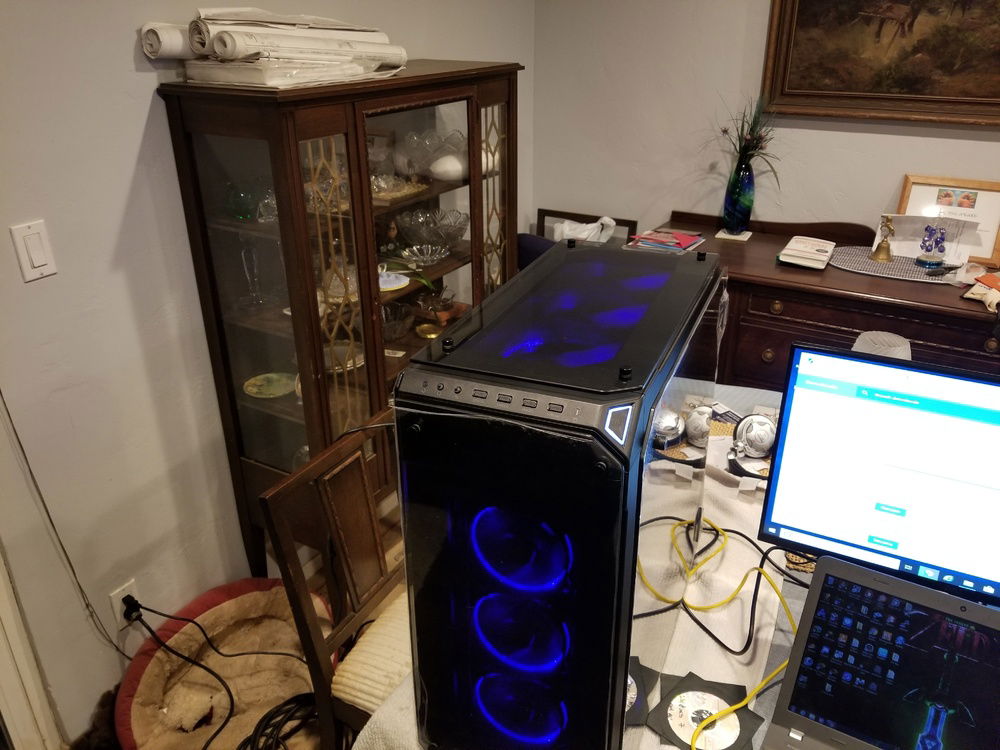
Top Tempered Glass View
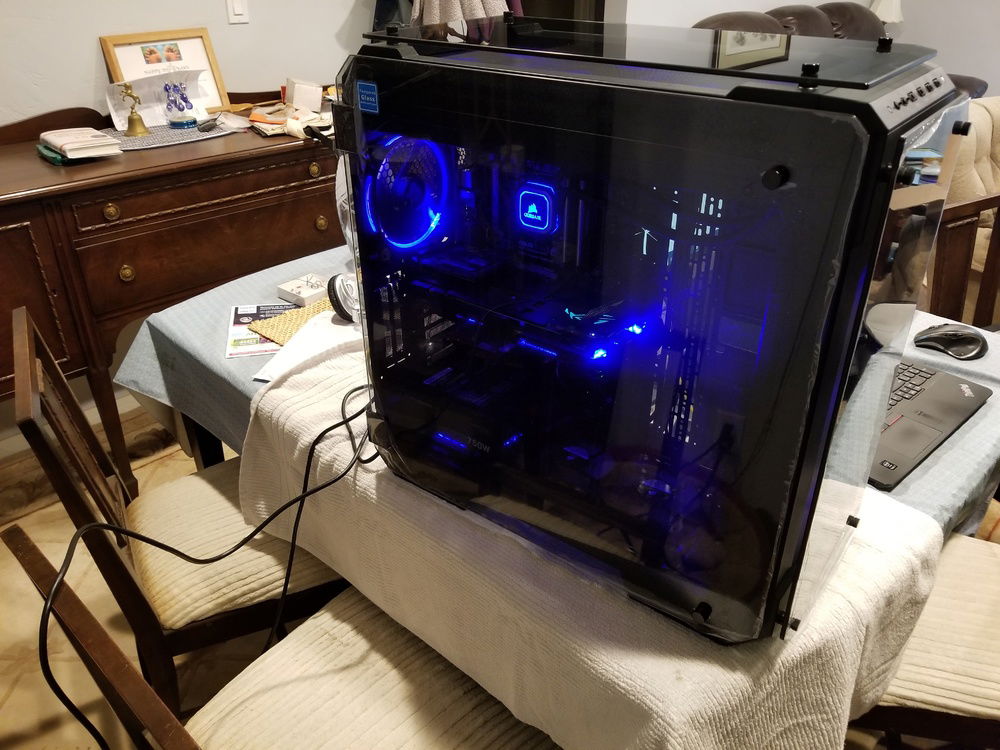
Side Tempered Glass View
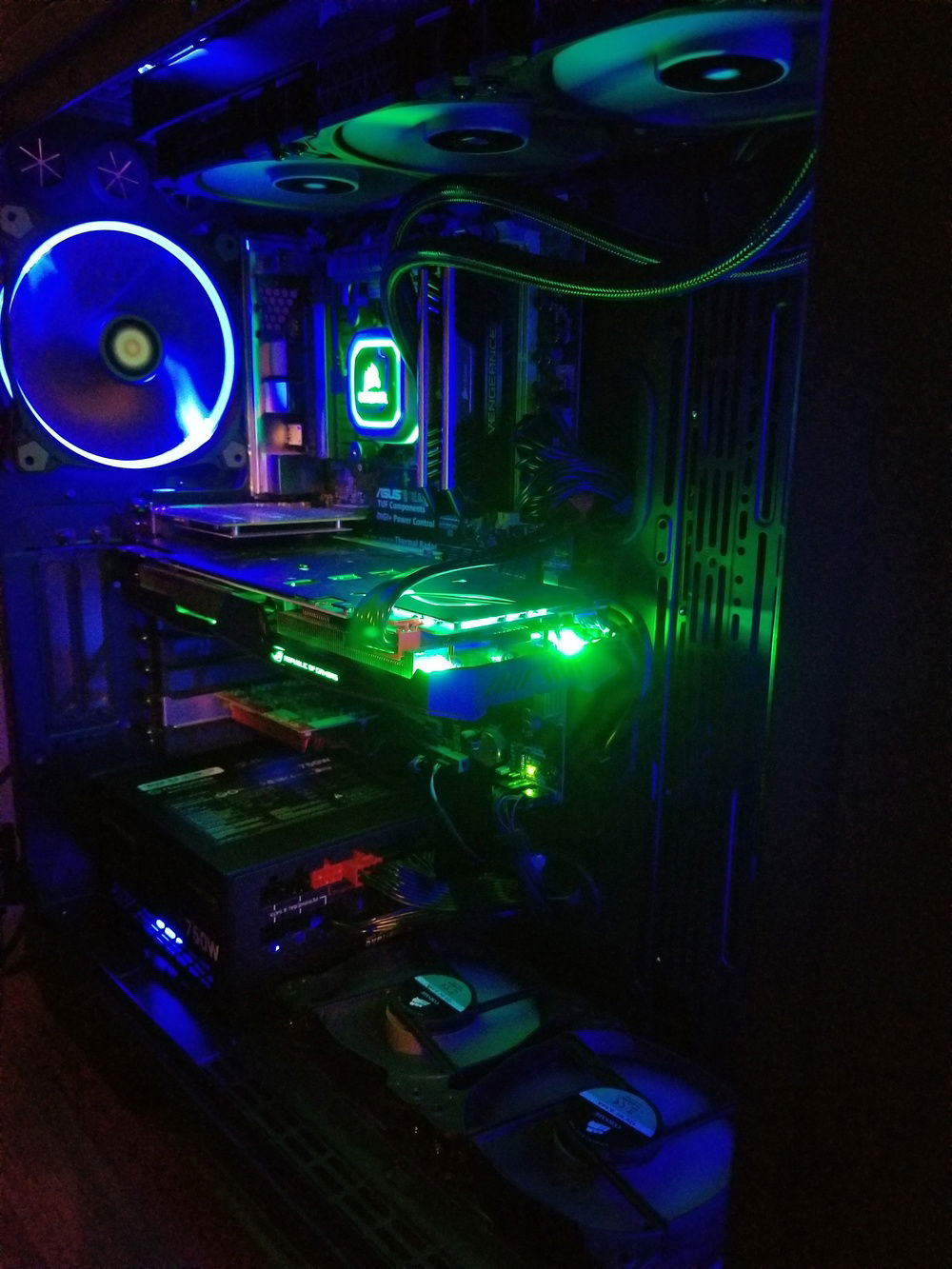
View from inside the case with the ASUS ROG STRIX 1070
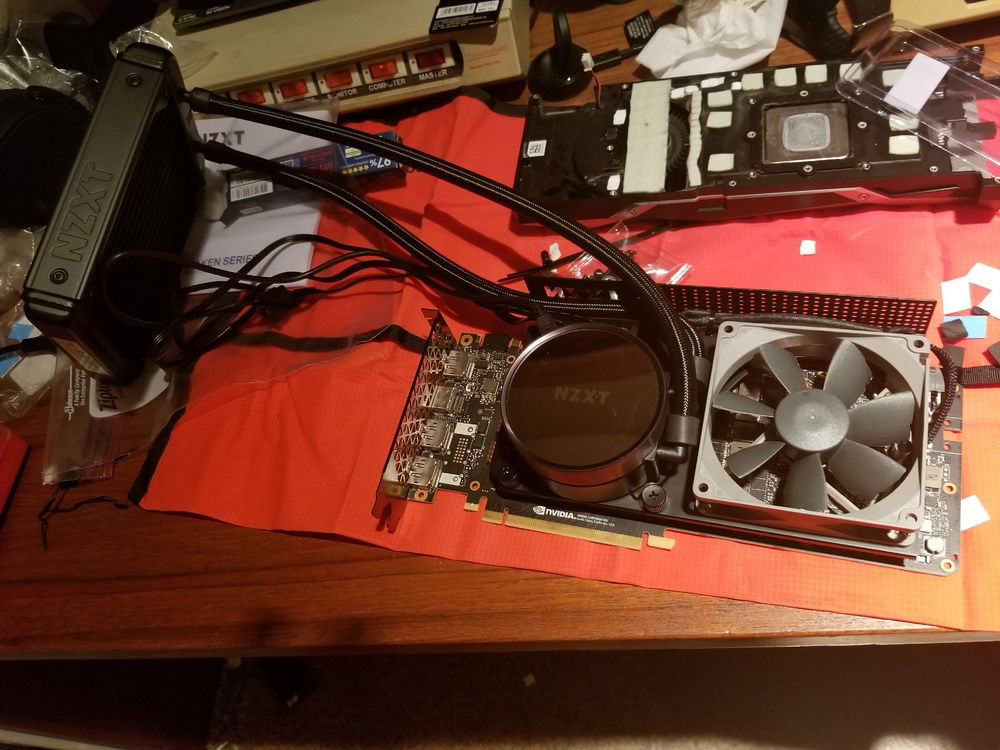
It's Upgrading Time!!! EVGA 1080 Ti FE with the NZXT Kraken G12 bracket, NZXT Kraken X42 140mm AIO, and a Noctua NF-B9 Redux 92mm fan
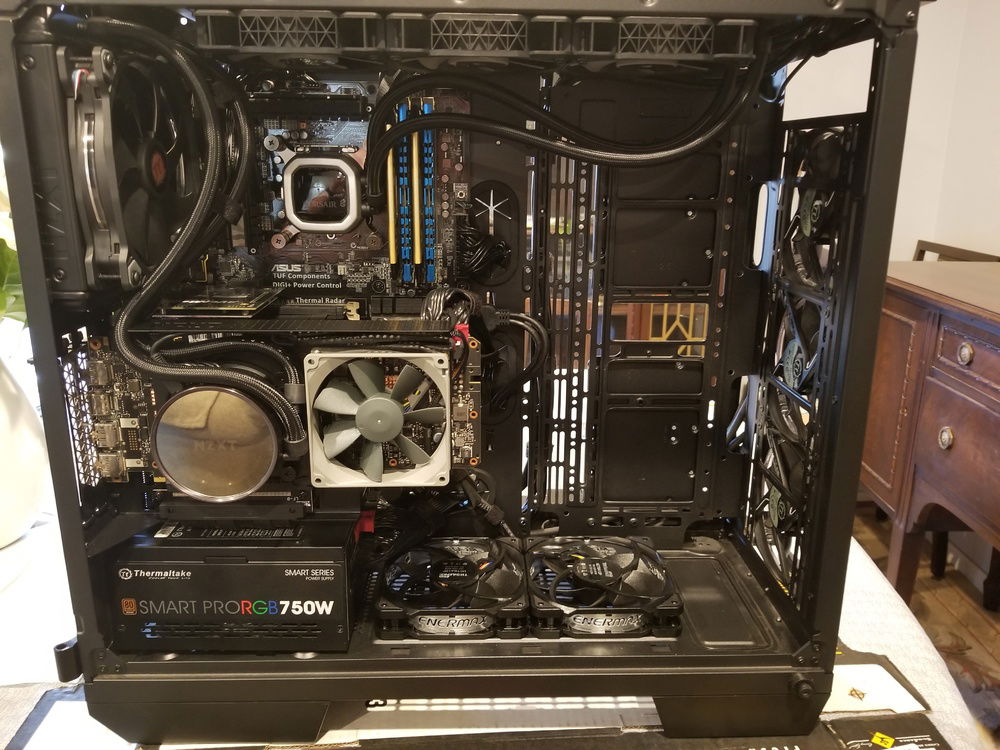
1080 Ti FE Watercooled with vertical bracket installed
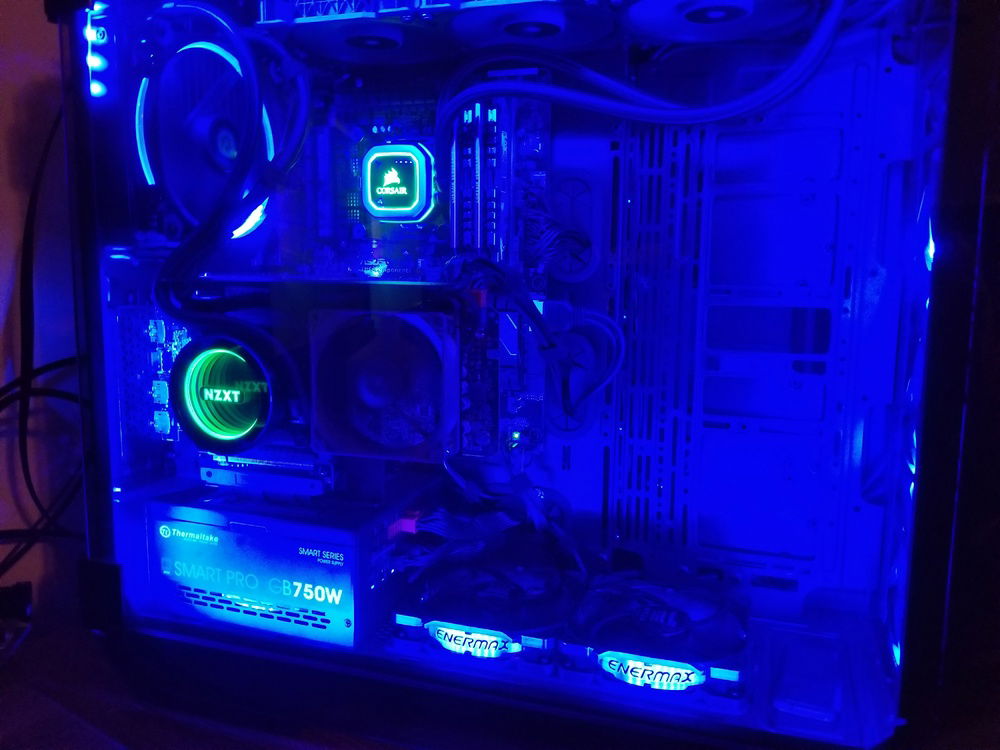
LED RGB strips for a little extra light and the infinity mirror effect on the NZXT AIO
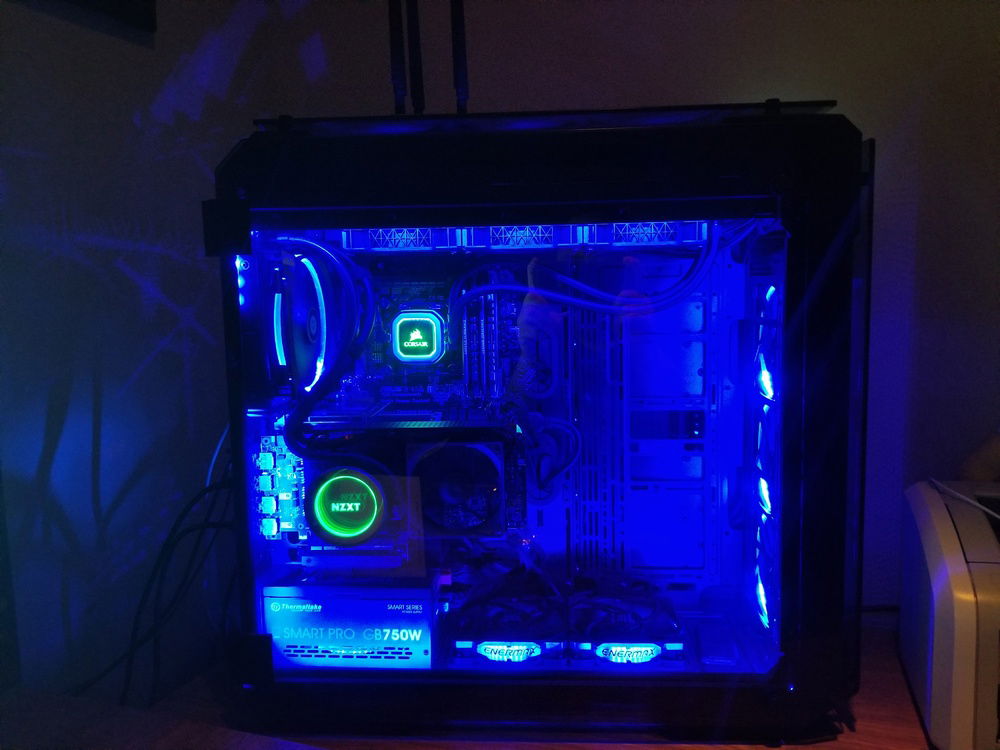
Finally Done!
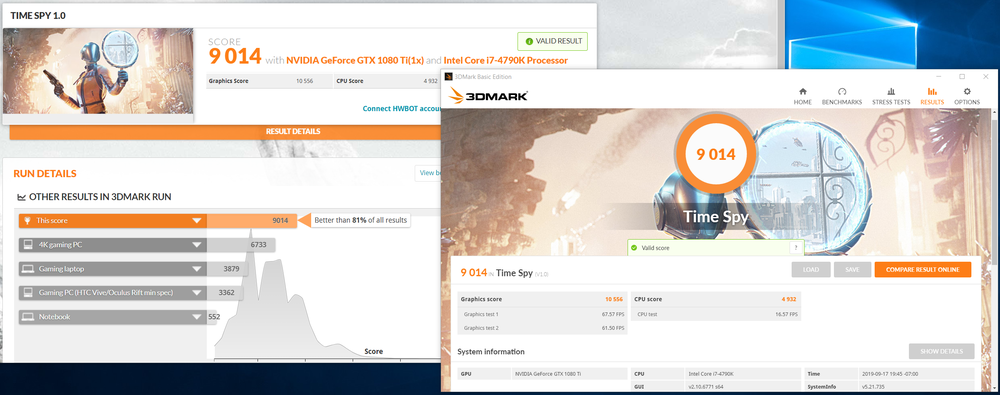
Overclocked CPU and GPU on the AIOs with a pretty respectable score considering the video card is 2 years old and the processor is 5 :)

Practically Impractical
AD:
Starting Off:
A very good friend of mine upgraded his computer back in February and asked me for some help through the process... As a thank you for my help he sent me his old parts that had been replaced, for just the cost to ship everything to me... the Intel I7-4790k, the Asus Sabertooth Z97 Mark 2, the 2 DDR3 2400 8GB Corsair Vengeance Pro RAM sticks, the Asus WiFi card, the AverMedia capture card, and that was my jumping off point.
Storage:
I found out that, even though the motherboard did not natively support M.2 or PCIe storage devices as boot devices, Asus put out a BIOS update allowing this board to boot from a PCIe storage device giving me the ability to install an M.2 NVMe SSD on a PCIe 4x adapter, and this thing flys!! I have no traditional storage but that may change soon.
Cooling:
I was conflicted, torn between a full custom water cooled loop and a couple of AIOs. I took the cheaper, modular path for now, but that may change in the future, which is one of the reasons I decided on the ThermalTake View 71 case. Its massive and perfect to hold all sorts of water cooling options.
RAM:
I do have to apologize for the mismatched RAM modules, some of you may have noticed in the pictures and hardware section. I was sent the previously mentioned Corsair RAM, and I wanted to max that out, but to match those modules, some idiots wanted upwards of $500 for another set of what I already had, and since I do not have more money than sense, I chose to go a different path. I went with the GSkill Ripjaws X kit which matches the Corsair RAM with the following specs 2x8GB, 2400Mhz, timings of 11-13-13-31 and voltages of 1.65V. Everyone and their mother that had anything to say about mismatched RAM, didn't have anything to say beyond those setting, so I figured that I could get away with it.
GPU:
A couple of weeks ago I found the 1080 Ti FE for a good price and once I sell my ROG Strix 1070 my new lowered investment in the 1080 Ti will make it a fantastic deal at just $250... so I couldn't pass that up! Once I got my bracket, AIO, 92mm fan, and heatsinks installed on my 1080 Ti, my idle temperature on the card is a stable 28c with a high of 56c under a 1 hour + gaming load.
RGB:
I really like the blue aesthetic, but I have my AIOs set to a temperature sensitive green-yellow-red scheme. The green is nice because it cuts through the blue and the slight tint of the glass so I always have a good idea of where my system is at temperature wise, without having to load software or even get out of my game. Although I might switch to a blue-purple-red temperature scheme so everything is more uniform when the system is cool.
Tell me what you guys think! I would like to hear your opinions on this build!!
A very good friend of mine upgraded his computer back in February and asked me for some help through the process... As a thank you for my help he sent me his old parts that had been replaced, for just the cost to ship everything to me... the Intel I7-4790k, the Asus Sabertooth Z97 Mark 2, the 2 DDR3 2400 8GB Corsair Vengeance Pro RAM sticks, the Asus WiFi card, the AverMedia capture card, and that was my jumping off point.
Storage:
I found out that, even though the motherboard did not natively support M.2 or PCIe storage devices as boot devices, Asus put out a BIOS update allowing this board to boot from a PCIe storage device giving me the ability to install an M.2 NVMe SSD on a PCIe 4x adapter, and this thing flys!! I have no traditional storage but that may change soon.
Cooling:
I was conflicted, torn between a full custom water cooled loop and a couple of AIOs. I took the cheaper, modular path for now, but that may change in the future, which is one of the reasons I decided on the ThermalTake View 71 case. Its massive and perfect to hold all sorts of water cooling options.
RAM:
I do have to apologize for the mismatched RAM modules, some of you may have noticed in the pictures and hardware section. I was sent the previously mentioned Corsair RAM, and I wanted to max that out, but to match those modules, some idiots wanted upwards of $500 for another set of what I already had, and since I do not have more money than sense, I chose to go a different path. I went with the GSkill Ripjaws X kit which matches the Corsair RAM with the following specs 2x8GB, 2400Mhz, timings of 11-13-13-31 and voltages of 1.65V. Everyone and their mother that had anything to say about mismatched RAM, didn't have anything to say beyond those setting, so I figured that I could get away with it.
GPU:
A couple of weeks ago I found the 1080 Ti FE for a good price and once I sell my ROG Strix 1070 my new lowered investment in the 1080 Ti will make it a fantastic deal at just $250... so I couldn't pass that up! Once I got my bracket, AIO, 92mm fan, and heatsinks installed on my 1080 Ti, my idle temperature on the card is a stable 28c with a high of 56c under a 1 hour + gaming load.
RGB:
I really like the blue aesthetic, but I have my AIOs set to a temperature sensitive green-yellow-red scheme. The green is nice because it cuts through the blue and the slight tint of the glass so I always have a good idea of where my system is at temperature wise, without having to load software or even get out of my game. Although I might switch to a blue-purple-red temperature scheme so everything is more uniform when the system is cool.
Tell me what you guys think! I would like to hear your opinions on this build!!
Color(s): Black Blue
RGB Lighting? Yes
Theme: none
Cooling: AIO Cooling
Size: ATX
Type: General Build
Hardware
CPU
Memory
$ 78.99
Graphics
$ 645.00
Storage
$ 148.99
PSU
$ 89.99
Case
$ 219.99
Case Fan
$ 24.84
Case Fan
$ 24.84
Case Fan
$ 14.95
Case Fan
$ 45.23
Case Fan
$ 45.23
Case Fan
$ 45.23
Case Fan
$ 27.99
Case Fan
$ 27.99
Case Fan
$ 27.99
Case Fan
$ 27.99
Cooling
$ 399.00
Cooling
$ 69.99
Accessories
$ 129.00
Accessories
Accessories
$ 47.99
Accessories
$ 129.00
Monitor
$ 150.39
Approved by: